
Product
One navigator for every step of the IEP journey
Plain language, your state’s terms, in English, Spanish and French.
For families
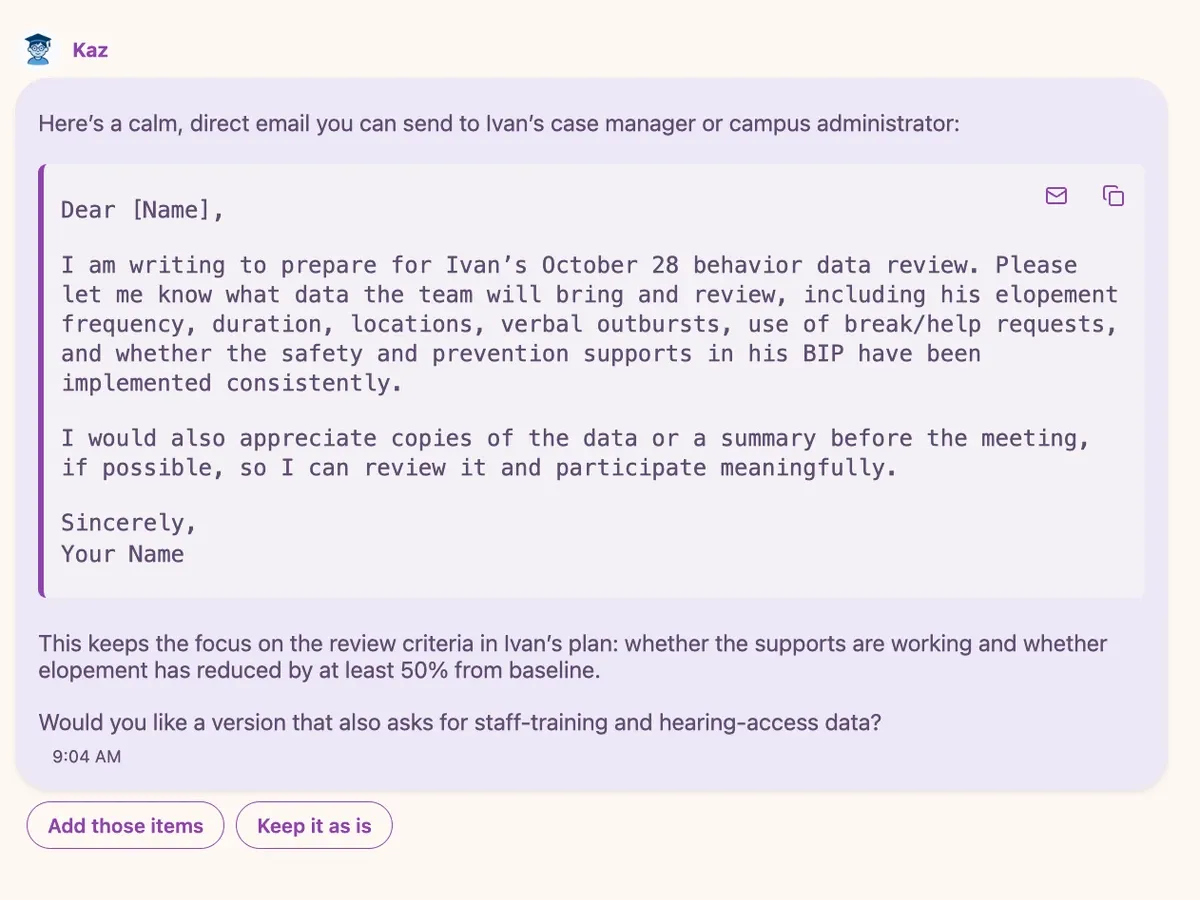
Understand
Ask Kaz
Parents ask questions in everyday language and get answers about IEPs, 504 plans, evaluations, timelines and parent rights, using the terms and timelines of their state. When they need to write to the school, whether to request an evaluation, ask for a meeting or follow up after one, Kaz drafts the message in a calm, clear tone. Kaz explains the process and suggests when to seek professional or attorney review. It does not give legal advice.
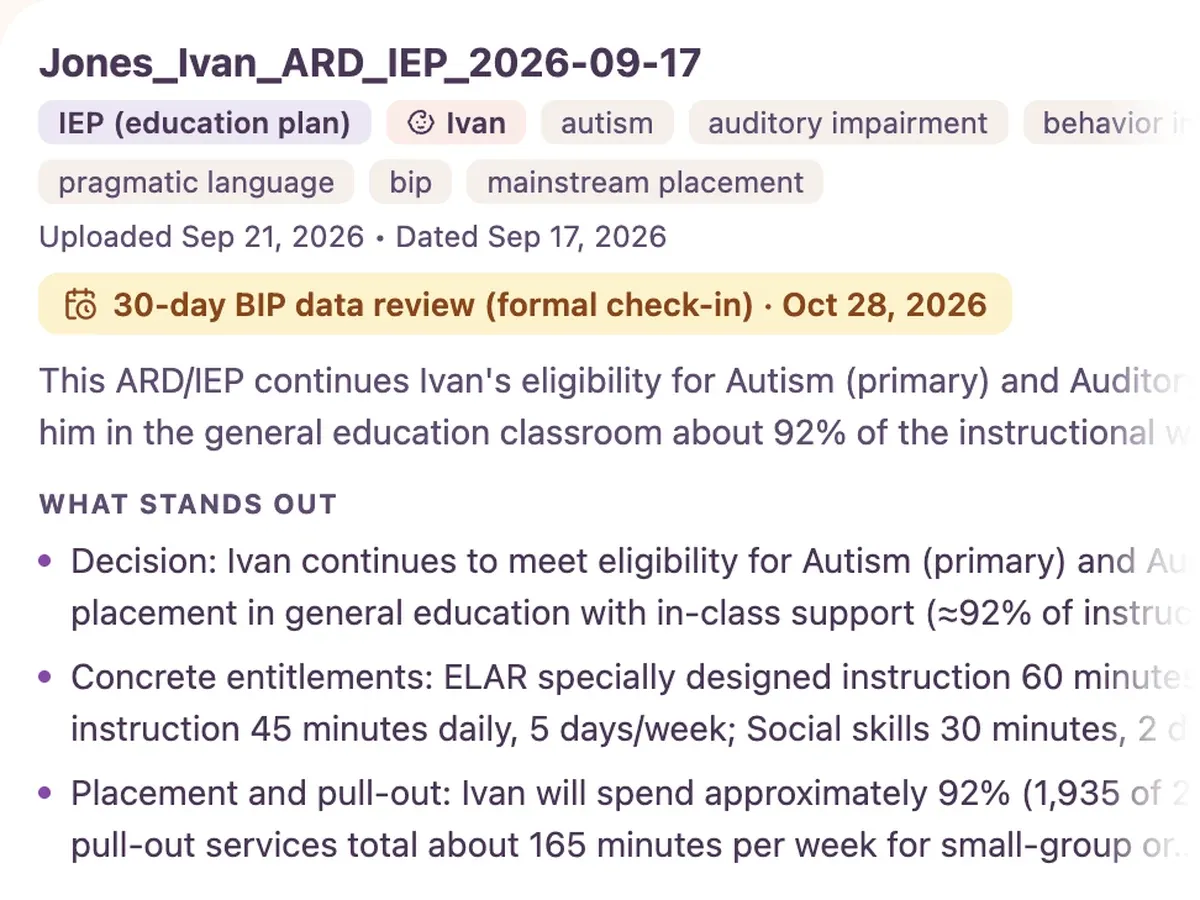
Make sense of the paperwork
Document Intelligence
Parents upload IEPs, evaluations, progress reports and school letters and get them explained in plain language, in English or Spanish, with the key points and upcoming dates pulled out. Then they can ask Kaz questions about what a document says. Parents can file each document under the child it’s about, and decide which ones staff at your organization can see. Staff can add documents for a family too, so parent and staff work from one central source.
Included with Partner and Annual Partner plans.
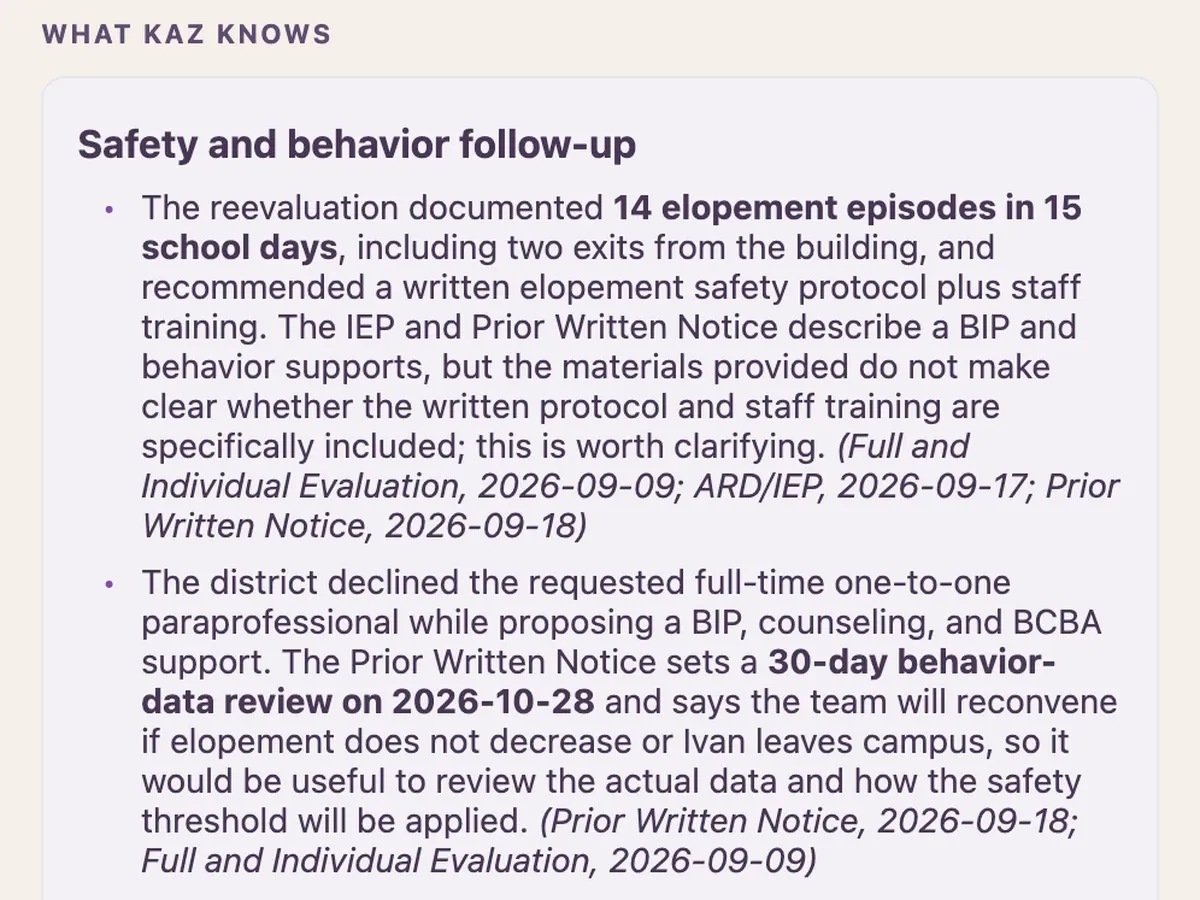
Show up ready
Meeting Mode
Before the meeting, Kaz builds a brief from the child’s records, and the parent adds their own list of questions. During the meeting, they jot quick notes. Afterward, Kaz creates a summary, a checklist and a draft follow-up message. There is a practice run to try first. Meeting Mode doesn’t record, transcribe or listen. Every note is written by the parent.
A profile for each child
One account covers the whole family. Each child has their own profile, conversations, documents and saved details, so what Kaz learns about one child stays with that child. Parents can review, correct or clear what Kaz remembers about each one.
Answers that show their sources
When a question turns on a current rule or date, like a state requirement or a district calendar, Kaz checks and lists the pages it used. Nothing about the family goes into that search.
Ready for the school
When Kaz suggests what to write to the school, parents open it as a draft in their own email app, make it theirs and send it. Conversations print cleanly to bring to a meeting.
Deeper answers when it counts
For a complicated situation, parents can ask Kaz to go deeper and work through the details, even across several documents.
For your organization
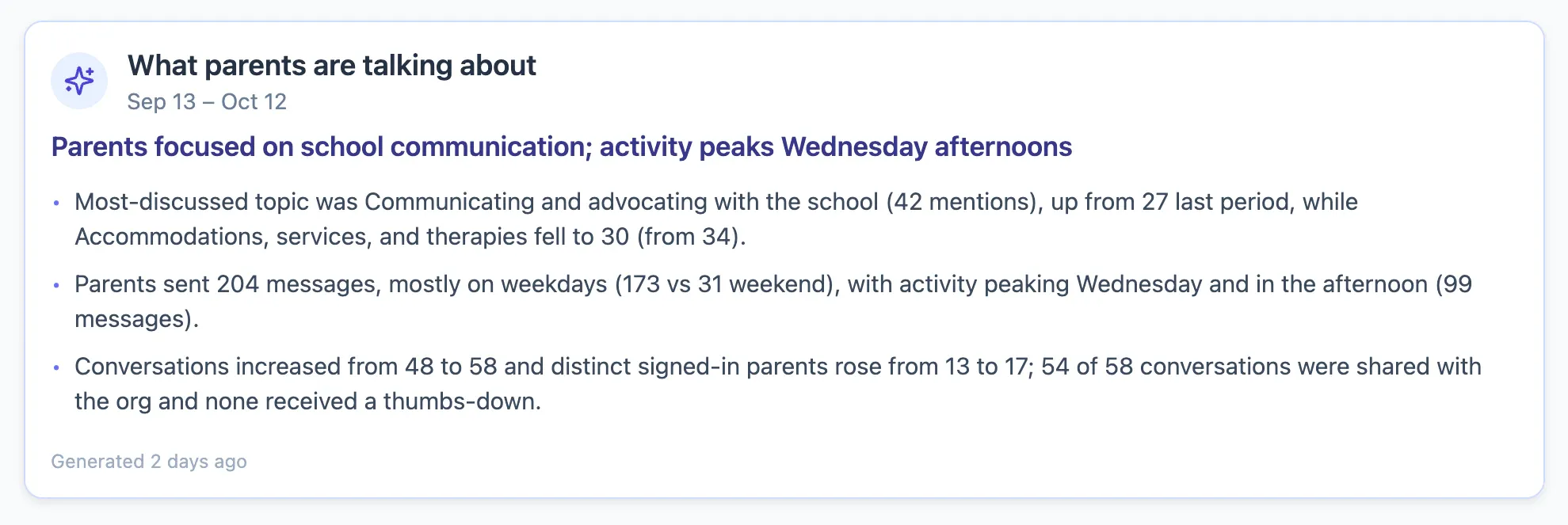
Staff dashboard
See what your community is asking
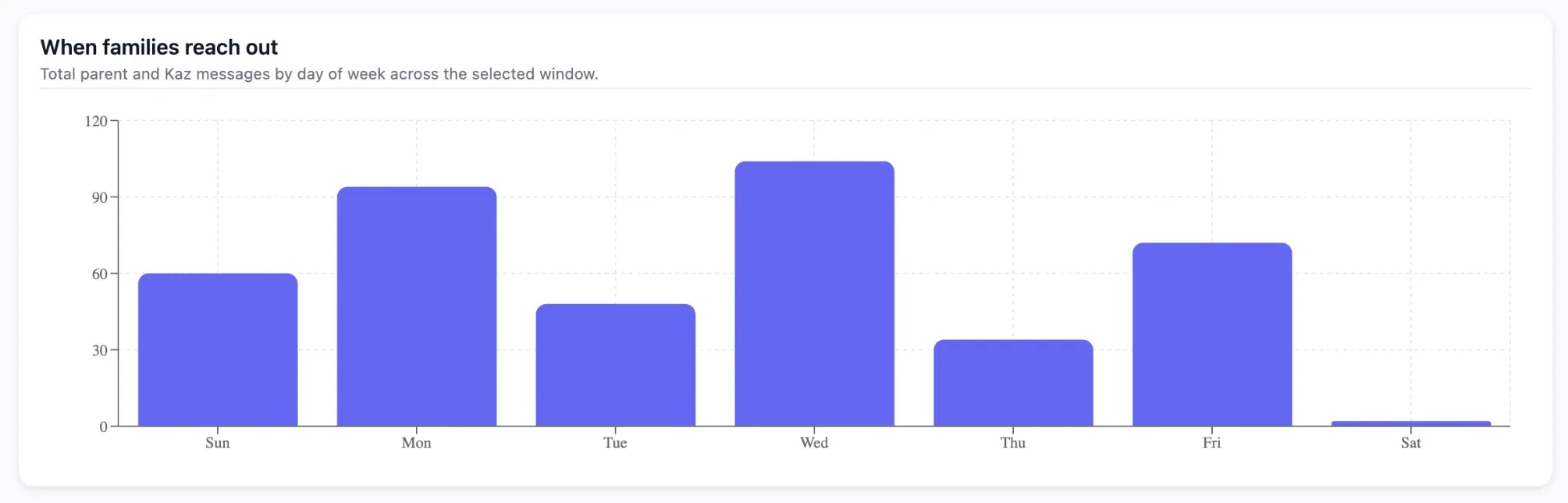
Kaz writes a plain-language summary of what parents asked about and how that changed since the last period. It reports topics and totals, and never identifies a family. Charts show when families reach out, and totals for families supported, conversations and estimated staff hours saved are ready for grant reports and board updates.
Your name, your link
Embed on your website, share a branded page with a working chat and its own QR code, or white-label fully. Greet families with your own welcome message and terms.
Your state’s terminology
Regional terms and timelines, like ARD in Texas or PPT in Connecticut.
Families who came through you
See which families signed up through you and which link or flyer brought them in, plus any conversations or documents a family chooses to share.
A shared workspace
Give each family a primary and secondary staff member, keep structured notes, and sort families with your own tags. Each family’s activity sits in one timeline, and notes and activity export for reports.
Staff mode
In-depth research for your advocates and staff.
Connects to your tools
Send new family signups to your CRM, welcome emails or onboarding tasks through Zapier.
What’s new
Kaz keeps getting better
We add new features for families and staff throughout the year. See what changed in each release.
Read the release notes (opens in a new tab)